Download SBOM Documents
The SBOM-Generator extension generates Software Bill of Materials (SBOM) documents for the OCM resources of your components. It uses Syft to scan artefacts directly, and stores the generated SBOMs in the ODG blob storage. SBOMs can be downloaded from the ODG Dashboard or via API.
Prerequisites
Your product must be added to the ODG Dashboard
SBOM-Generator extension must be enabled in your ODG instance
Download SBOM for Your Product
Open your product page in the ODG Dashboard.
Click the DOWNLOAD SBOM button.
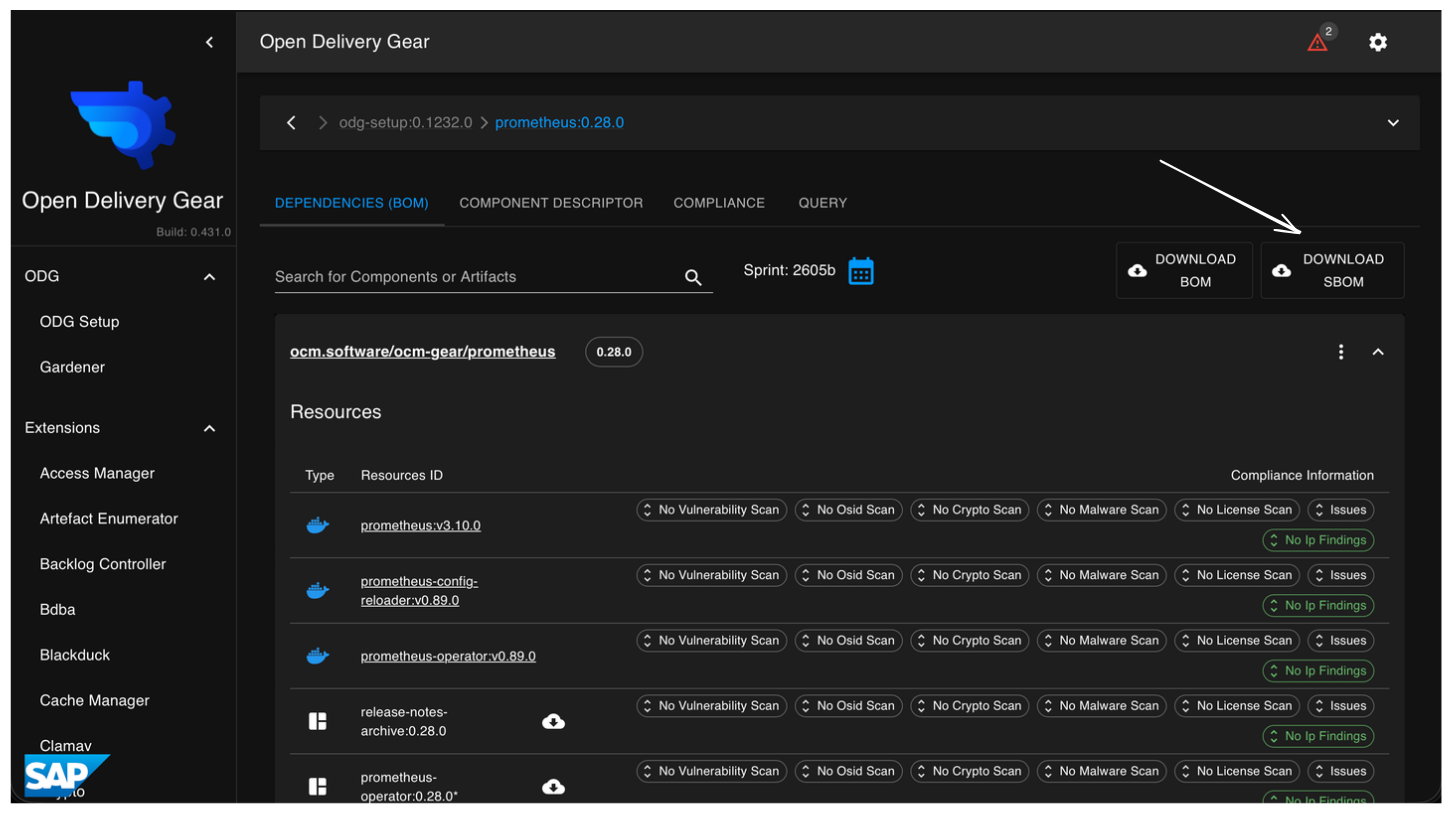
This opens the SBOM popover, where all sub-components are grouped into two sections: Ready and Not ready.
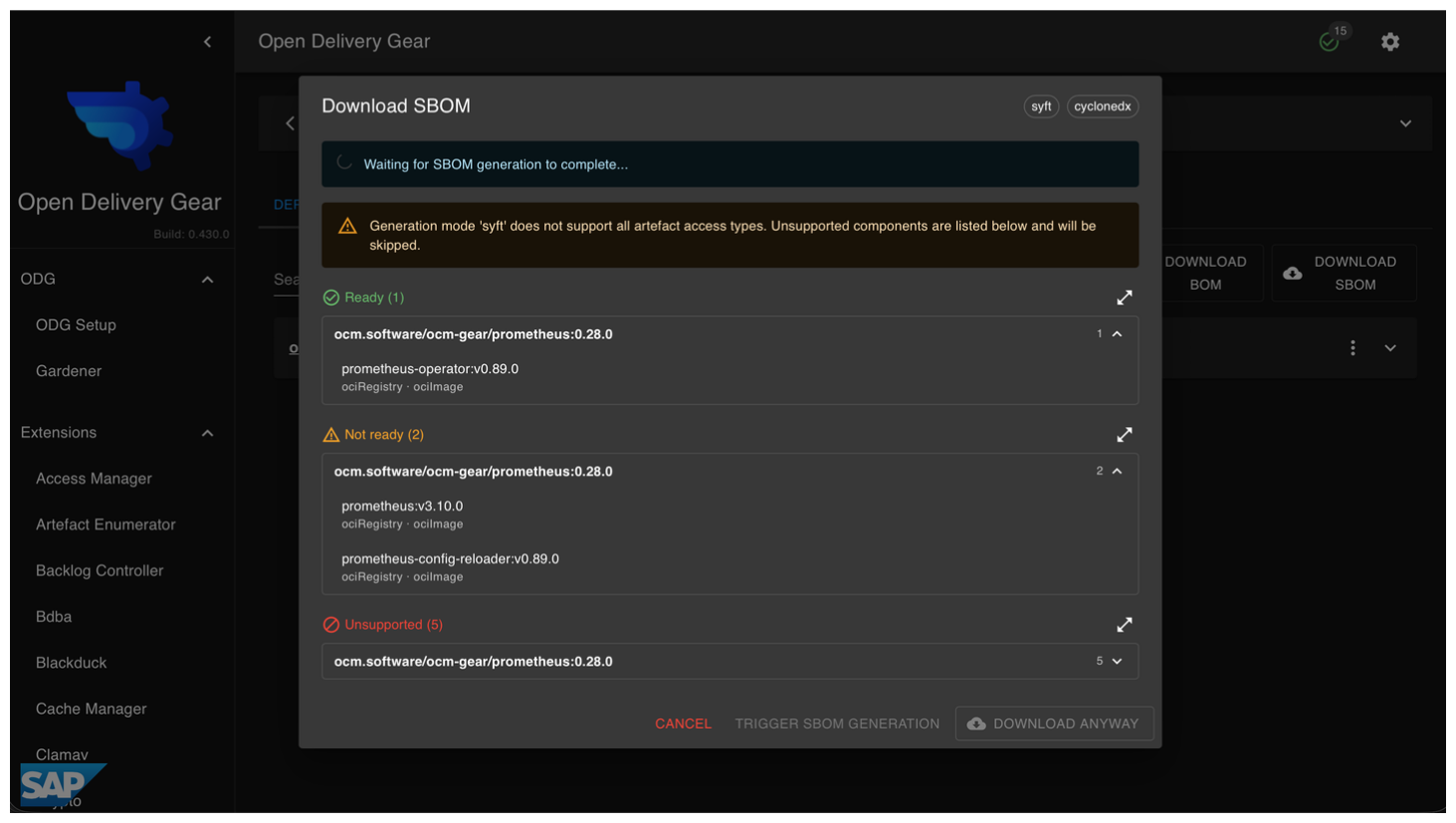
The popover also shows the configured output format, and displays the access type and artefact type for each sub-component.
Hint
The popover updates in real time. No manual refresh is needed.
Download SBOM for a Sub-Component
To download the SBOM for a specific sub-component:
Open the sub-component page in the ODG Dashboard
Click the DOWNLOAD SBOM button
Manually Trigger SBOM Generation
If a component’s SBOM has not been generated yet:
Open the DOWNLOAD SBOM popover for your component
Check the Not ready section for pending sub-components
Click the Trigger SBOM generation button when available
This schedules SBOM generation for all pending sub-components immediately. The popover updates in real time, and completed SBOMs move from Not ready to Ready as they finish.