How to View Your Findings
Goal
Find all security and compliance findings you are responsible for in ODG.
You’ll end up with
A filtered view of all findings assigned to you
Knowledge of how to prioritize your workload
Prerequisites
Access to the ODG Dashboard
Optionally: Access to GitHub compliance issues
Assigned responsibility for at least one component
Choose your path
Select the viewing approach that matches your use case:
View all findings you are responsible for
View all findings for a specific component
View findings due for a specific delivery milestone
Option A: View findings assigned to you
Use the Compliance tab to see all findings assigned to you.
Steps
1. Access the ODG Dashboard
Navigate to the ODG Dashboard and log in.
2. Filter by responsibility
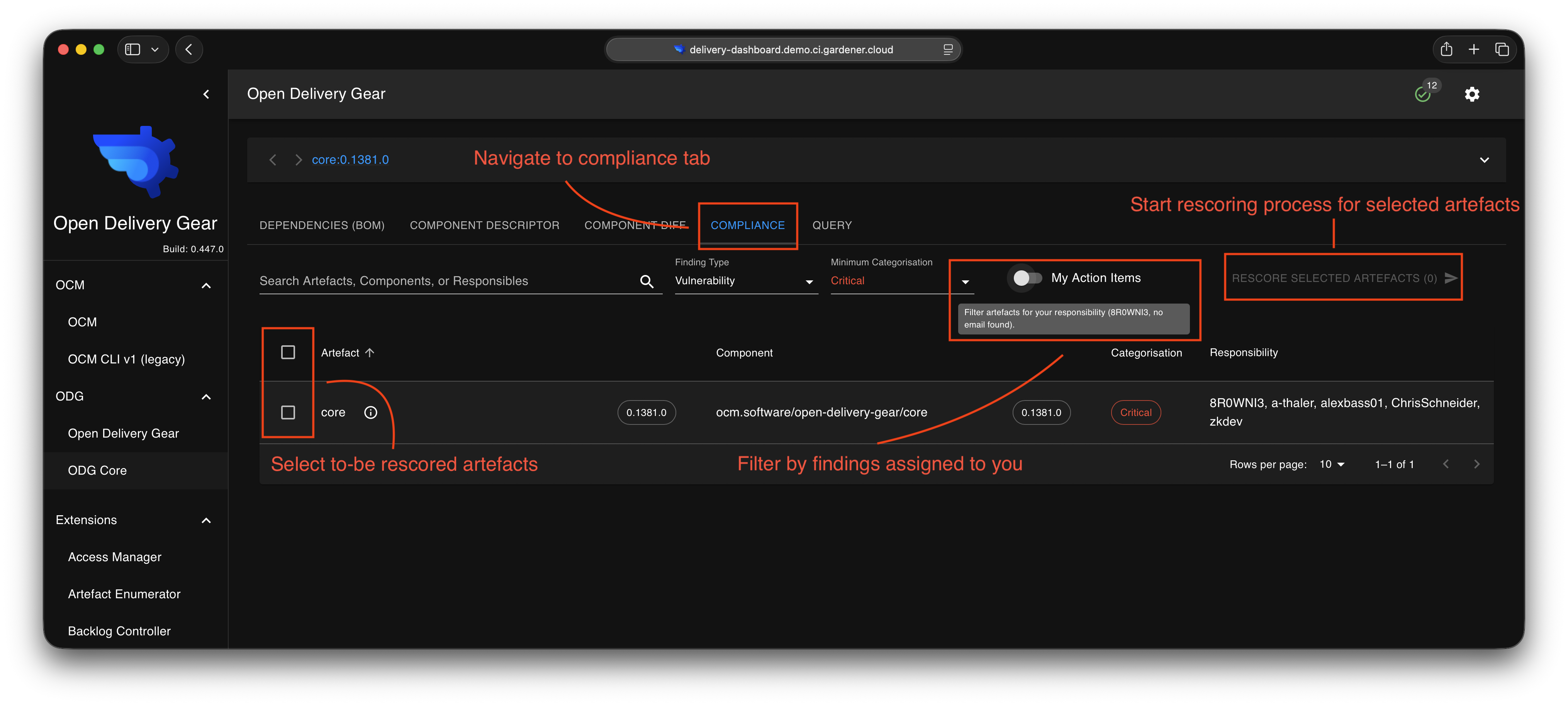
Use the Compliance tab to see your assigned findings.
In the ODG Dashboard:
Navigate to the Compliance tab
Tick the “Filter by responsibility” checkbox
Optionally filter by severity or type
3. Start rescoring process
Select the component you want to check (or all), then click the top-right rescore button to start the rescoring process.
Alternative: Via GitHub
If your team uses GitHub integration, findings appear as issues.
In GitHub:
Navigate to your component repository
Click the Issues tab
Look for issues assigned to you
Option B: View findings by component
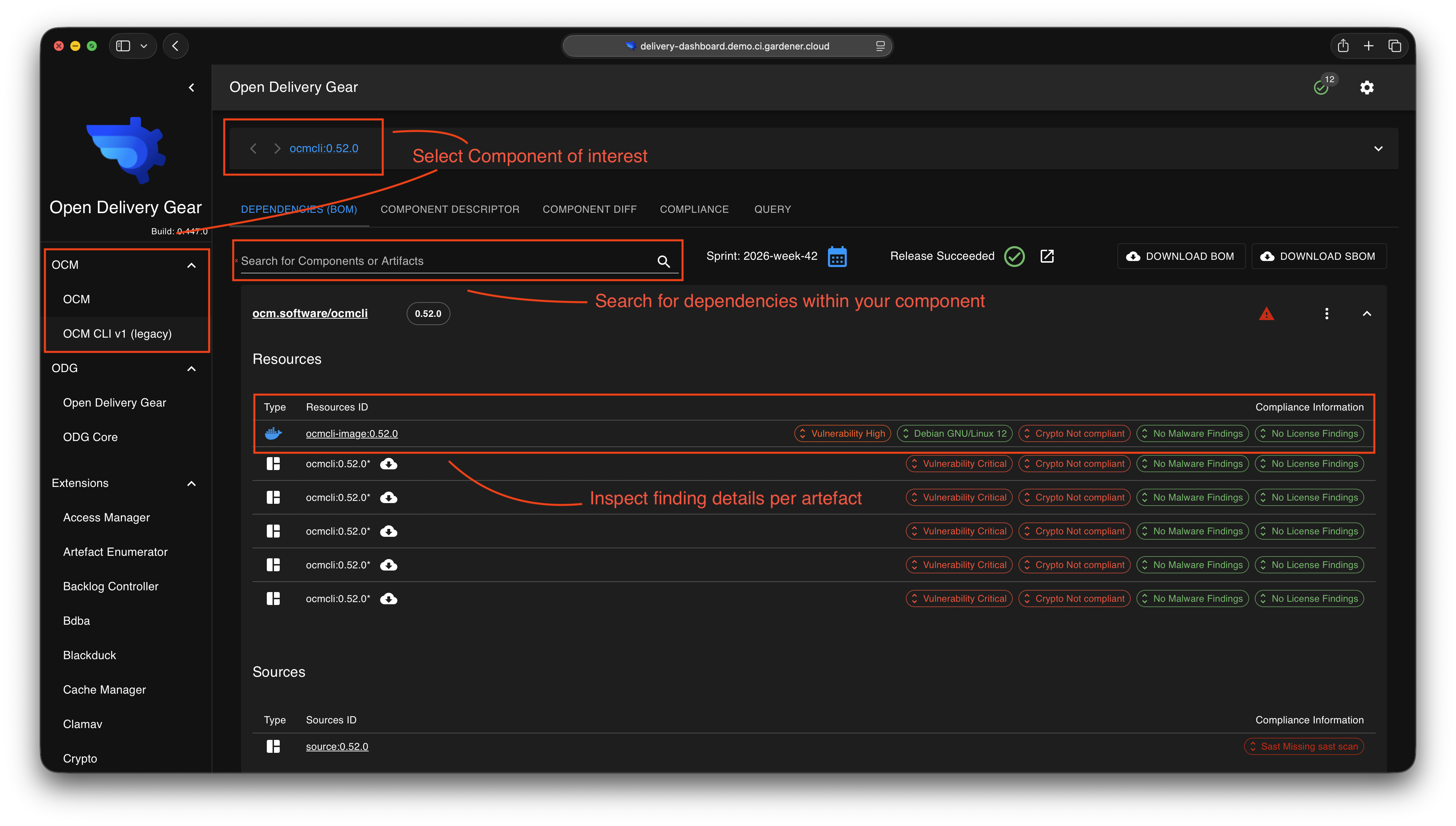
Use the Dependencies tab to see all findings for a specific component.
Steps
1. Access the ODG Dashboard
Navigate to the ODG Dashboard and log in.
3. Review findings and start rescoring
All artefacts are displayed with the most critical finding per category. Use the finding-specific chip to jump into the corresponding rescoring view.
Option C: View findings for next delivery
Use GitHub milestone view to see findings due for a specific delivery.
Prerequisites
Access to GitHub compliance issues
Your delivery uses GitHub milestones
Steps
1. Access GitHub
Navigate to your component repository on GitHub.
2. Search for milestone
Use GitHub issue search to find findings for your delivery milestone.
In GitHub:
Use GitHub issue search to search for the milestone of interest
Each milestone maps to one delivery
Filter issues with ODG labels (e.g.,
vulnerability,license,malware)
3. Review finding details
Examine each issue to understand what action is needed.